Learn · Processes
3D Scanning & Reverse Engineering: From Physical Part to CAD
A broken part with no drawing. A legacy component the supplier no longer makes. A new accessory that has to fit an existing product. 3D scanning and reverse engineering turn the physical object you have into the digital file you need.
What is 3D scanning?
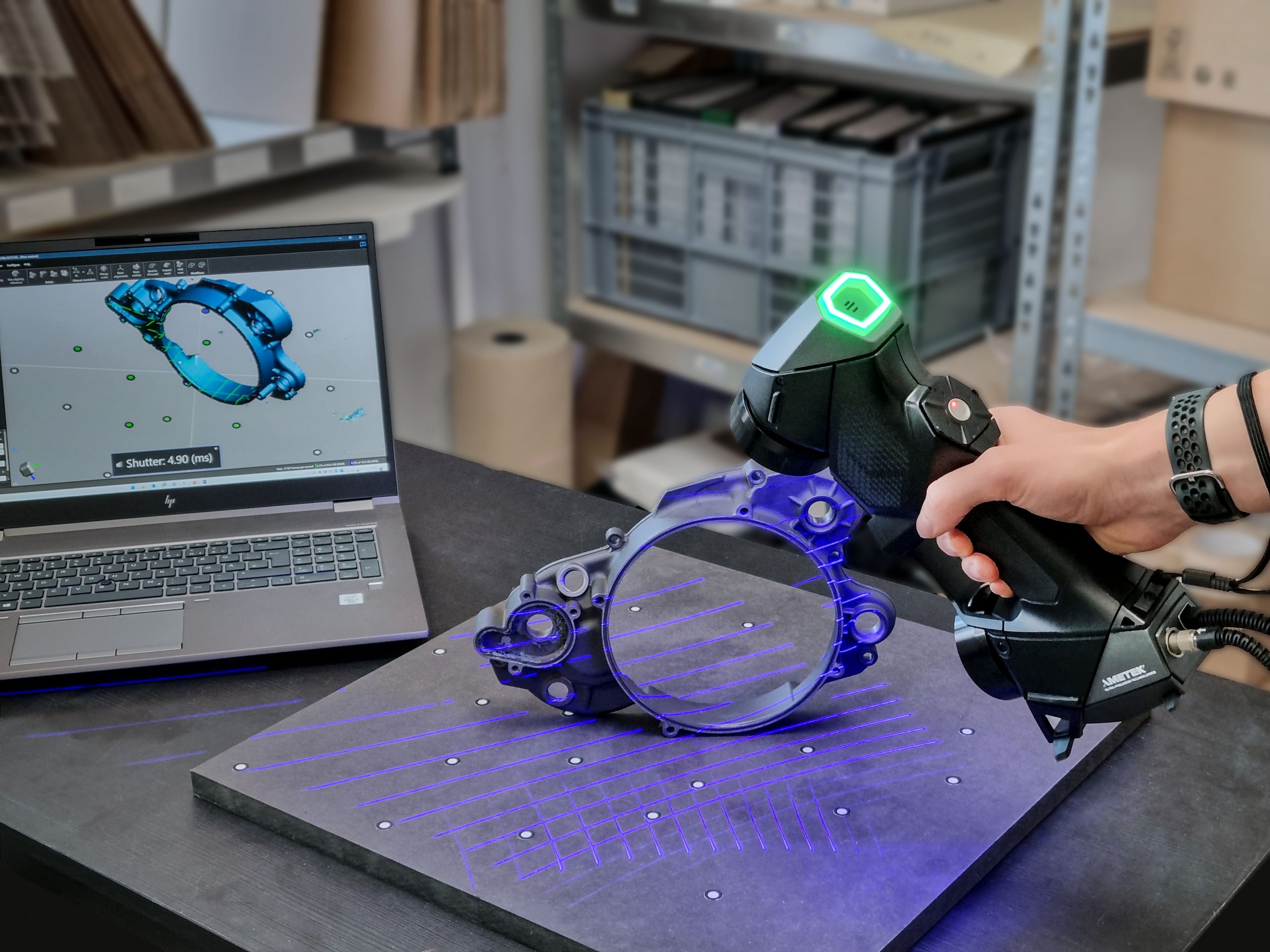
3D scanning measures the shape of a physical object and records it as digital data. Most industrial scanners are non-contact: they project laser lines or patterns of light onto the surface and use cameras to calculate millions of points on it. Because nothing touches the part, scanning is non-destructive — the original stays intact.
The raw result is a point cloud, which is processed into a mesh (often an STL file) — a surface made of many small triangles that represents the object’s shape.
What is reverse engineering?
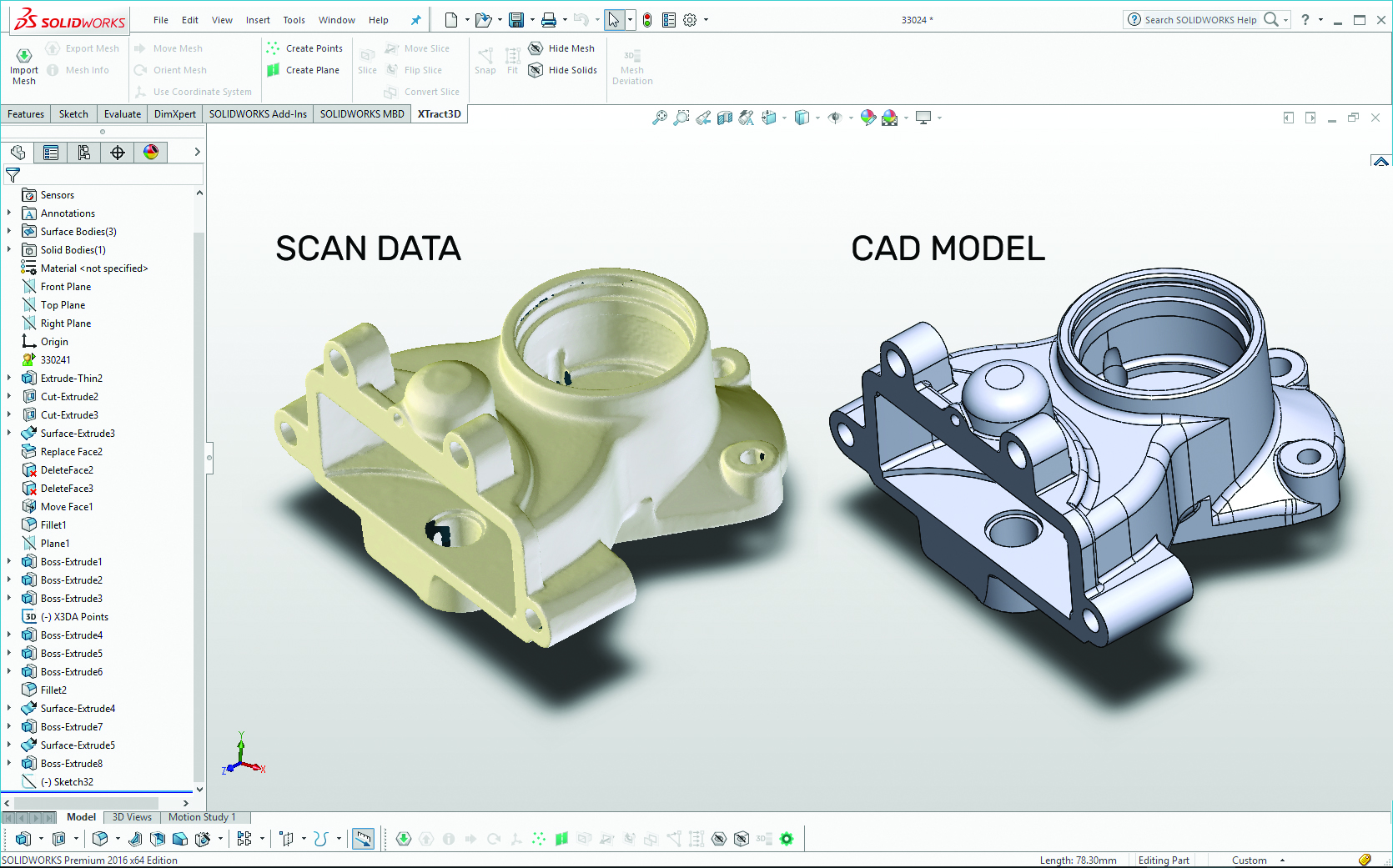
A scan mesh shows the shape, but it is not an editable design. Reverse engineering turns that mesh into a proper CAD model with real features — flat faces, holes, fillets and dimensions — that engineers can modify, document and manufacture from. This step is often called mesh-to-CAD.
The process, step by step
- You bring us your project. Tell us what the part is and what you need the data for — a replacement, an inspection, a modification or a new design.
- Ship your parts, or we come on-site. Small parts can be sent to us; large or installed equipment can be scanned where it is.
- We analyse and 3D scan the part. The part is prepared and scanned from every angle needed to capture its full geometry.
- Data cleaning and mesh-to-CAD. The scan is cleaned up and rebuilt as CAD in the format your team uses.
- Make it. Use the CAD to 3D print, machine, cast or mould the part — or keep it on file for later.
What can you do with the data?
| Service | What it gives you |
|---|---|
| CAD development | An editable CAD model rebuilt from the scan, ready for changes and manufacturing. |
| Reference bodies | Accurate geometry of existing parts or spaces to design new parts around. |
| Assembly mapping | Digitised assemblies showing how parts fit and relate to each other. |
| Casing | Enclosures and covers designed to fit an existing product exactly. |
| BOM creation | A bill of materials built from the digitised parts of an assembly. |
| Archiving | A digital record of physical parts, so they can be remade at any time. |
When is reverse engineering useful?
- Replacement and spare parts for machines where the original part is worn, broken or discontinued — useful for keeping production lines running.
- Legacy parts with no drawings, where the original CAD was lost or never existed.
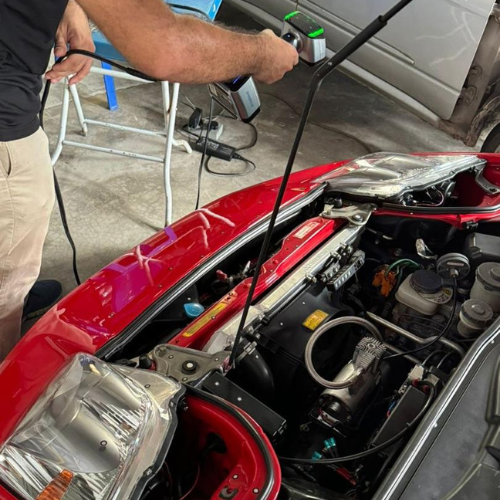
- Designing around an existing object, such as a bracket that must fit a vehicle’s engine bay or a cover for an existing machine.
- Inspection — comparing a scanned part with its CAD model to check whether it was made correctly.
- Digitising hand-made shapes, such as sculpted prototypes or moulds, so they can be reproduced.
Tips for getting the best result
- Tell us the purpose. A part for visual reference needs less work than a part with mating features that must fit precisely.
- Share critical dimensions. Hole positions, thread sizes and mating faces should be called out so they are modelled to the right size.
- Expect shiny, clear or very dark parts to need preparation. These surfaces are hard for optical scanners to read and are often coated with a temporary scanning spray.
- Send worn parts with context. If a part is damaged, tell us what the original shape should be so wear isn’t copied into the new design.
How Quick 3D can help
Quick 3D offers non-destructive 3D scanning to capture reliable, accurate surface data for industries including aerospace, automotive and manufacturing. With our reverse engineering services you can digitise almost anything into workable 3D CAD data — scanned on-site or at our facility. See our 3D scanning and metrology services, or learn how scanned shapes become silicone moulds.
Frequently asked questions
What is the difference between 3D scanning and reverse engineering?
3D scanning captures the shape of a physical object as a mesh. Reverse engineering turns that mesh into an editable CAD model with real features and dimensions that can be modified and manufactured.
Can you scan parts on-site?
Yes. Parts can be shipped to us, or we can come on-site to scan large or installed parts.
What file will I receive?
You can receive the scan mesh (such as STL) and, for reverse engineering, a CAD model in a common format for your CAD software. Tell us which format your team uses.
Can a broken or worn part be reverse engineered?
Yes. The part is scanned and the CAD is rebuilt to the intended shape, using your input on the original dimensions so damage or wear is not copied into the new part.
Need a part you can’t buy anymore?
Tell us about the part and what you need it for. We’ll recommend the right scanning and reverse engineering approach.
Get a QuoteWhatsApp Us